Account Details
This section displays all your account details under following tabs:
Account Details > Account Summary
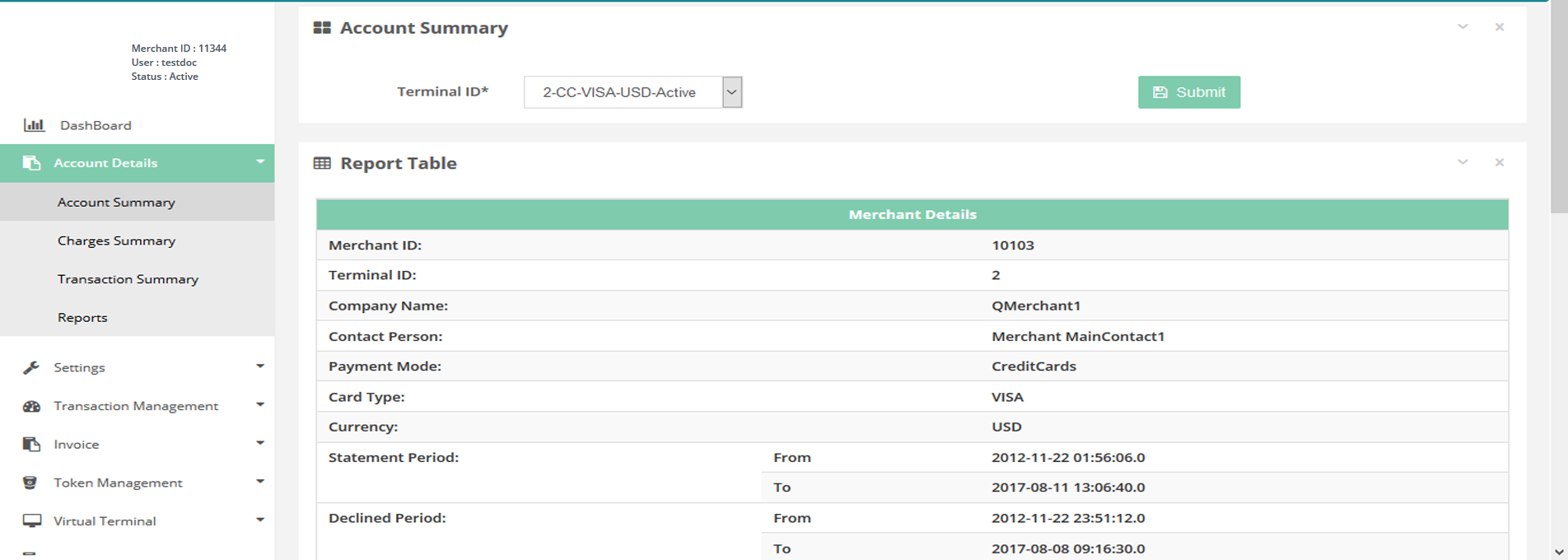
In this page you can see the account summary per terminal basis.
How to access page?
After Login, you need to click on Account Summary section under the Account Details tab in the left navigation bar of Merchant’s back office.
Search Criteria
You can search account summary on below criteria:
- Terminal ID
Result Details
You need to select the terminal for which summary details are required. Result consist of below details:
- Merchant Details
- Charges Details
- Generated Reserve Details
- Refunded Reserve Details
- Summary
Account details
Account Details > Charges Summary
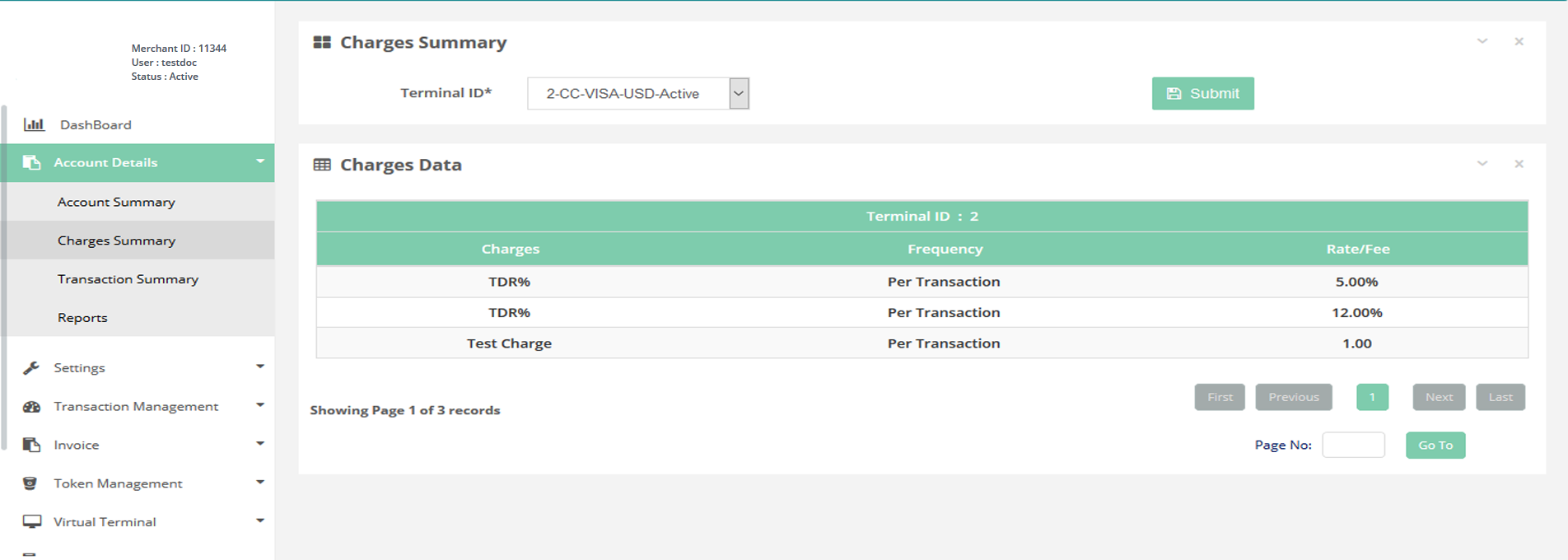
In this page you can see the charges summary per terminal basis.
How to access page?
After Login you need to click on Charges Summary section under Account Details tab in the left navigation bar of Merchant’s back office.
Search Criteria
You can search Charges summary on below criteria:
- Terminal ID
Result Details
After selecting a terminal, it will display below charges assigned to the same:
- MDR%
- Approval Fee
- Declined Fee
- Fraud Check Fee
- Reversal Fee
- Chargeback Fee
- Set Up Fee
- Annual Fee
- ReserveGenerated%
- ReserveRefunded%
- Wire Fee
Charges summary
Account Details > Transaction Summary
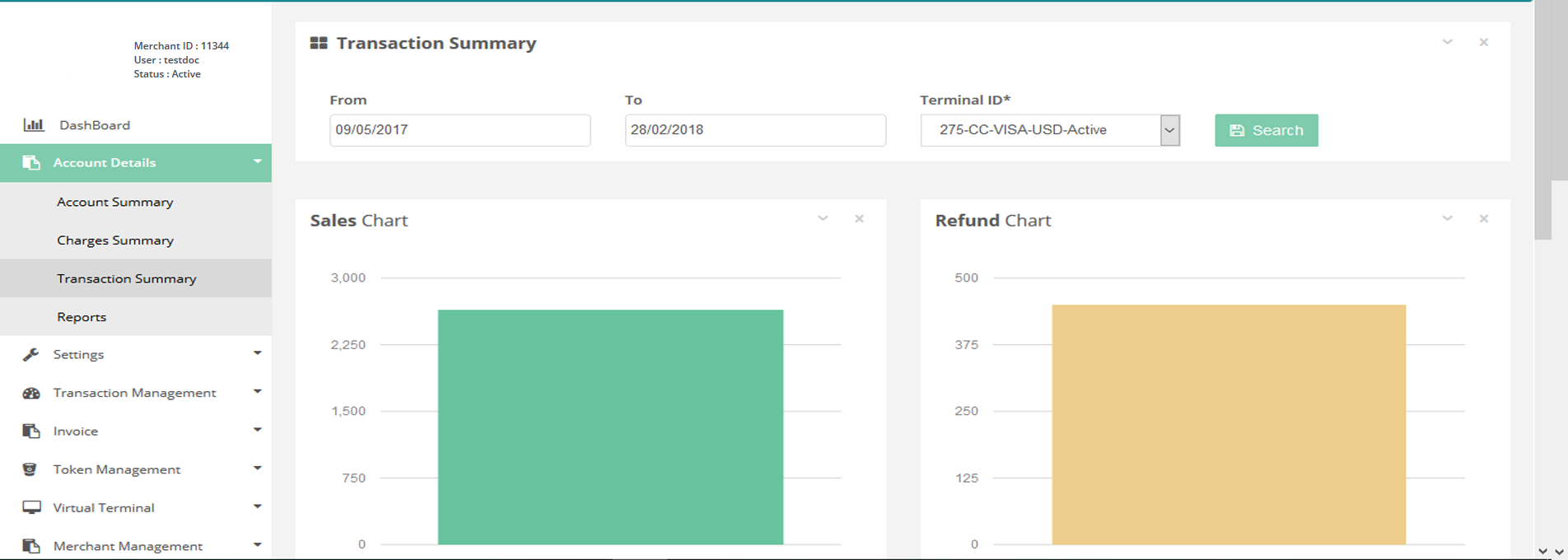
In this page you can see the transaction summary per terminal basis.
How to access page?
After Login you need to click on Transaction Summary section under Account Details tab in the left navigation bar of Merchant’s back office.
Search criteria
You can search transaction details on below parameters:
- From date
- To date
- Currency
- Terminal ID
Result details
Search filter gives the following information:
- - Merchant Transaction Report
- - Sales Chart
- - Refund Chart
- - Chargeback Chart
Transaction summary
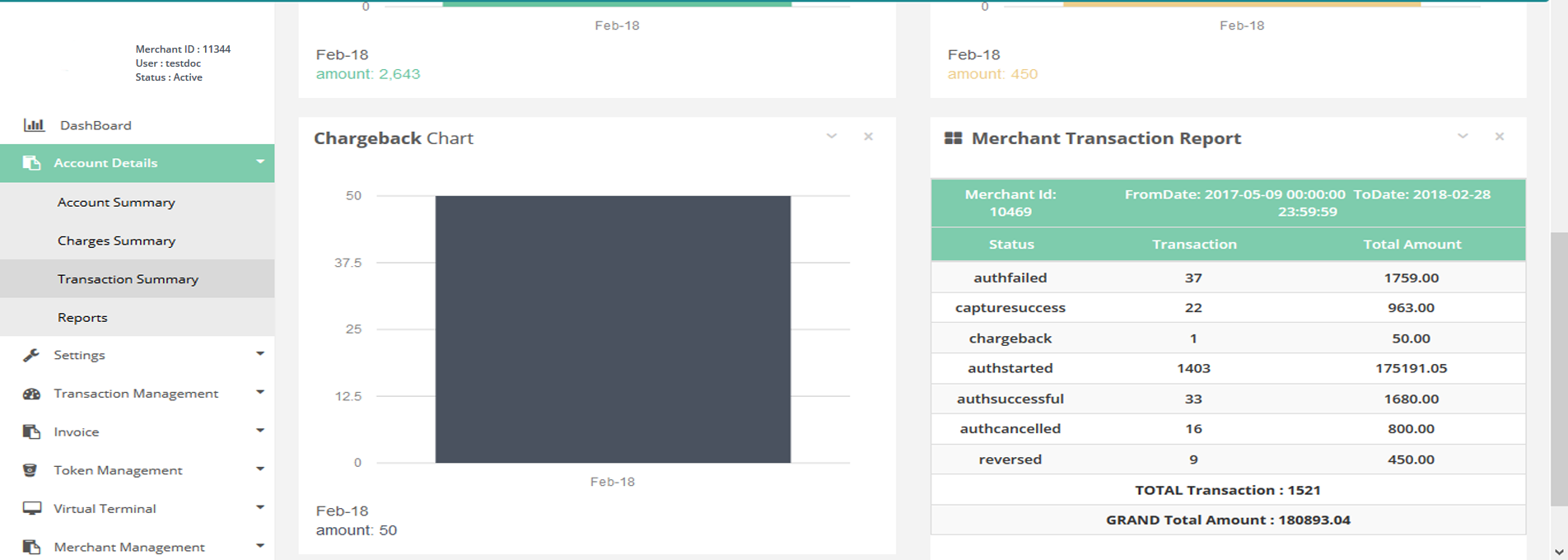
Transaction summary
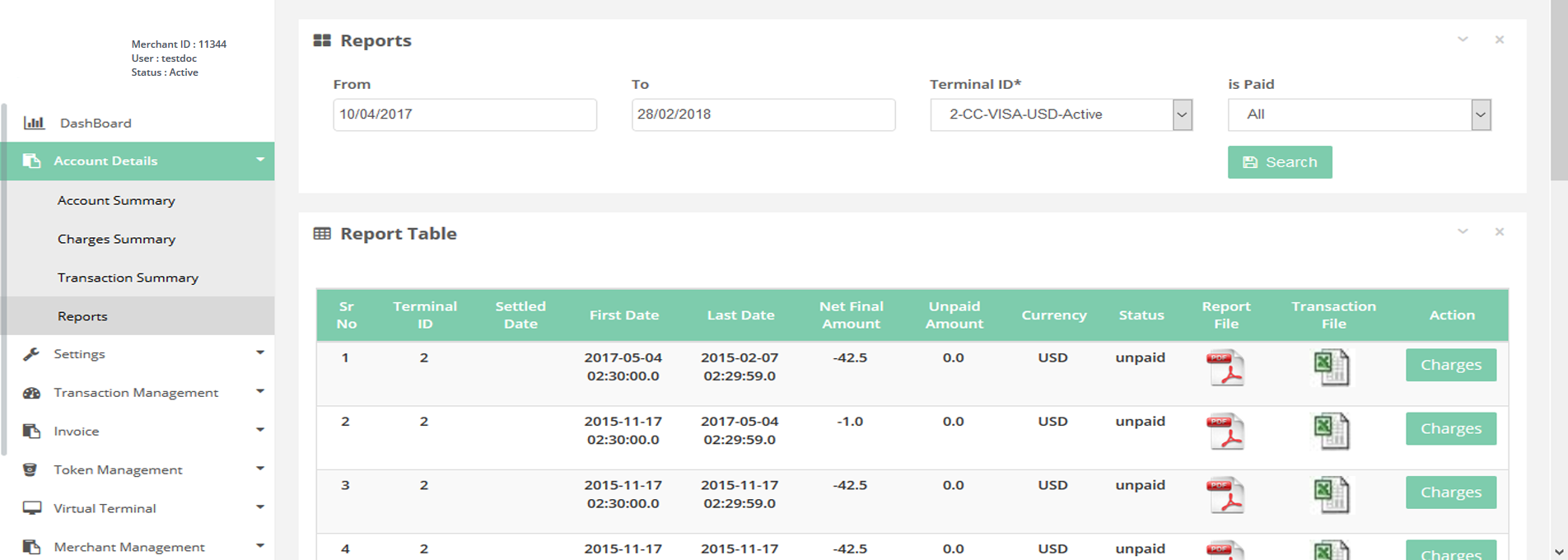
Account Details > Reports
In this page you can review a report per terminal in a selected date range.
How to access page?
After Login you need to click on Reports section under Account Details tab in the left navigation bar of Merchant’s back office.
Search criteria
You can search reports on below criteria:
- From date
- To date
- Terminal ID
- is paid
Result details
It consist of charges reports.You also can download the Wire Report (PDF) and List of Transactions (Excel) after clicking on respective file icons.